Google Workspace Integration with CRM | Hanna CRM - HANNA CRM

Google Workspace and Hanna CRM – one connected workspace

Connect the Google tools you use every day with Hanna CRM. Email, calendar, contacts and files become part of your workflows – with less switching between systems and more relevant information in one place.

See prices
Google Workspace and Hanna CRM – one connected workspace

Google tools connected to your CRM

By connecting Google Workspace with Hanna, the tools your team already uses become a natural part of customer, sales and day-to-day work processes.

Less switching between systems

Less switching between systems

Customer communication, scheduled activities, contacts and files are available where your team already works with CRM data.

More customer context

More customer context

Important customer information is available alongside other Hanna data – from communication history to planned activities.

Less manual work

Less manual work

Integrations reduce the need to manually move the same information between Hanna and the Google tools you use every day.

Google Workspace tools integrated with Hanna

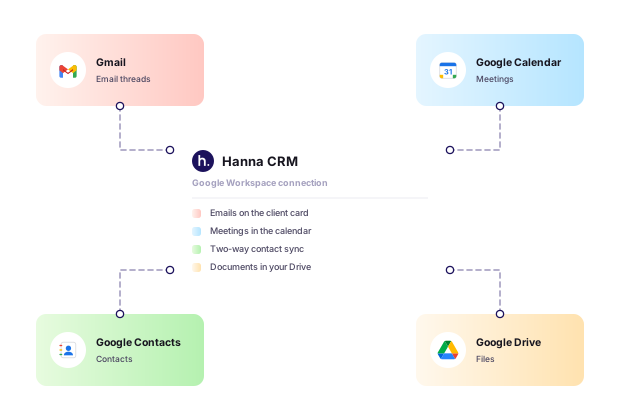
Use Google Workspace tools where they work best: Gmail for communication, Google Calendar for selected Hanna tasks, Google Contacts for contact information, and Google Drive as storage for files uploaded through Hanna.

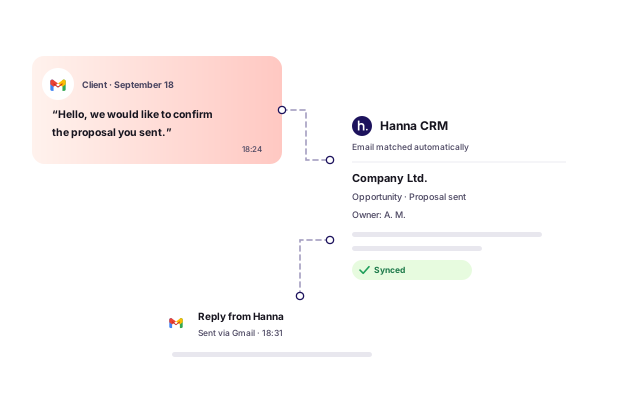
Gmail – customer email history in your CRM

Once Gmail is connected, customer-related email communication can be linked to the relevant contacts and other CRM records.

This allows you to review previous conversations together with other customer information and quickly restore the context before a call, meeting or next action.

Less searching through your inbox – more relevant information where customer work actually happens.

Gmail – customer email history in your CRM

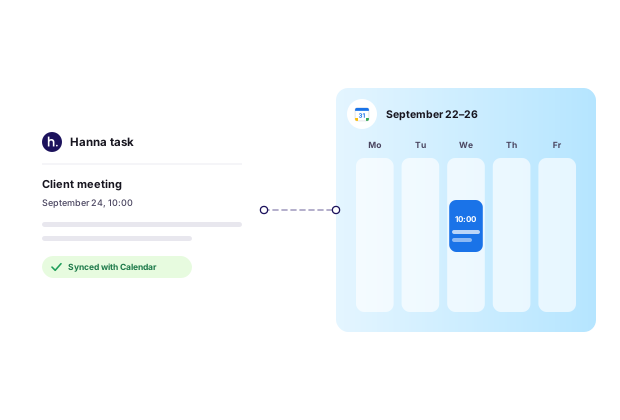
Google Calendar – selected Hanna tasks in your calendar

Choose which Hanna task types you want to synchronize with Google Calendar.

Important planned activities then appear in your Google calendar, allowing you to see them alongside the rest of your schedule in the tool you already use to plan your day.

Not every Hanna task has to be synchronized – you decide which task types are relevant to your workflow.

Google Calendar – selected Hanna tasks in your calendar

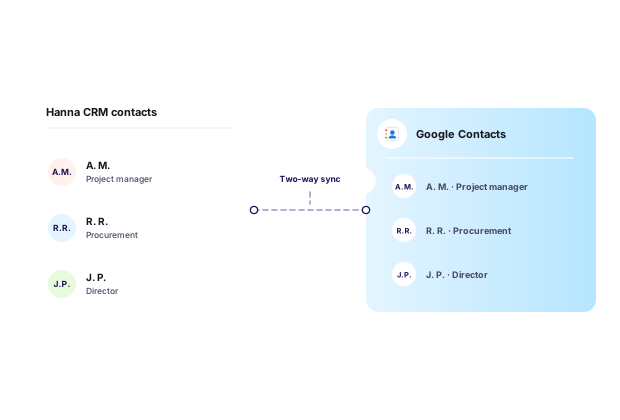
Google Contacts – keep the contacts you need close at hand

Synchronize Hanna contacts with Google Contacts and access the contact information you need through your Google account.

You can choose which Hanna contacts or leads to synchronize, keeping important business contacts available not only in the CRM but also in your everyday Google environment.

Google Contacts – keep the contacts you need close at hand

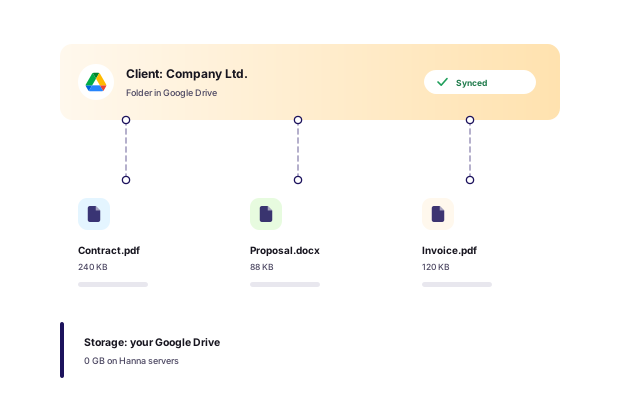
Google Drive – file storage for your Hanna account

Connect Google Drive to Hanna and use it as the storage location for files uploaded through Hanna.

Files uploaded in Hanna are stored in the connected Google Drive rather than on Hanna servers. Your team can continue working with documents and files as part of Hanna processes, while the actual files remain stored in your Google Drive environment.

This is especially useful for companies that already use Google Drive as their primary document and file storage solution.

Google Drive – file storage for your Hanna account

How Google Workspace integrations help in everyday work

From the first customer email to a planned task or document, Google tools can become a natural extension of your daily work in Hanna CRM.

Frequently asked questions about the Google Workspace integration

Connect Google Workspace with Hanna

Use your everyday Google tools together with your CRM and get more customer context, less manual work and simpler information management.

Connect Google Workspace with Hanna