Microsoft 365 Integration with CRM | Hanna CRM - HANNA CRM

Microsoft 365 and Hanna CRM – one connected workspace

Connect the Microsoft tools your team already uses with Hanna CRM. Email, calendar, files and organizational sign-in become part of a connected workflow – with less switching between systems and more control in one place.

See prices
Microsoft 365 and Hanna CRM – one connected workspace

Microsoft tools connected to your CRM

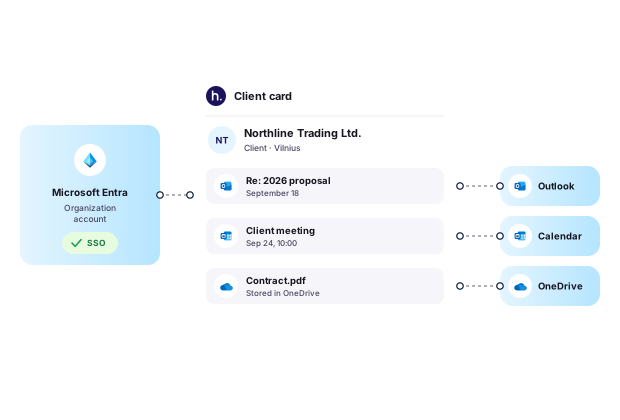
By connecting your Microsoft environment with Hanna, everyday productivity tools and user access become a natural part of your customer, sales and team workflows.

Less switching between systems

Less switching between systems

Customer communication, scheduled activities and files are available where your team already works with CRM data.

More customer context

More customer context

Important customer information is available alongside other Hanna data – from email history to planned activities and next steps.

Simpler user access management

Simpler user access management

Microsoft Entra lets employees sign in with their organization account and enables Entra groups to be mapped to Hanna roles and permissions.

Microsoft tools integrated with Hanna

Use Microsoft tools where they work best: Outlook for customer communication, Microsoft Calendar for selected Hanna tasks, OneDrive for file storage, and Microsoft Entra for sign-in and access management.

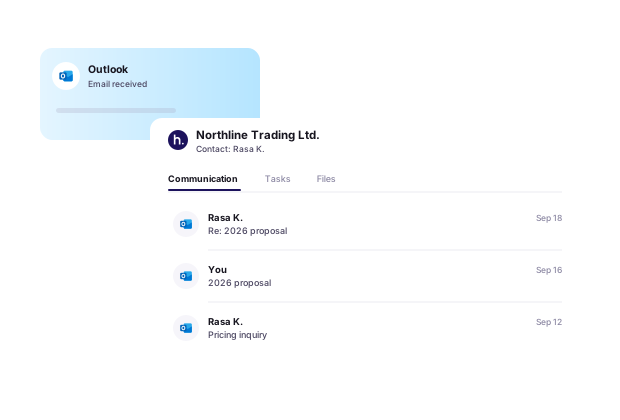
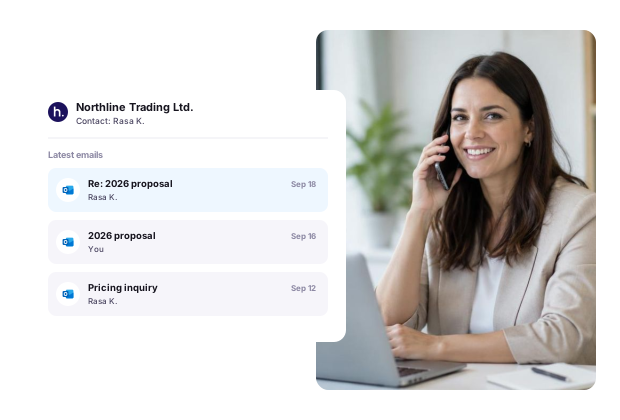
Outlook – customer email history in your CRM

Once your Microsoft email account is connected, customer-related email communication can be linked to the relevant contacts and other records in Hanna CRM.

This lets you review previous conversations alongside other customer information and quickly restore context before a call, meeting or next action.

Less searching through Outlook – more relevant information where customer work actually happens.

Outlook – customer email history in your CRM

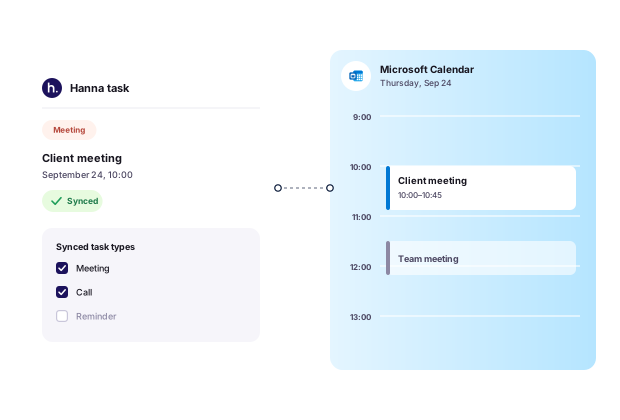
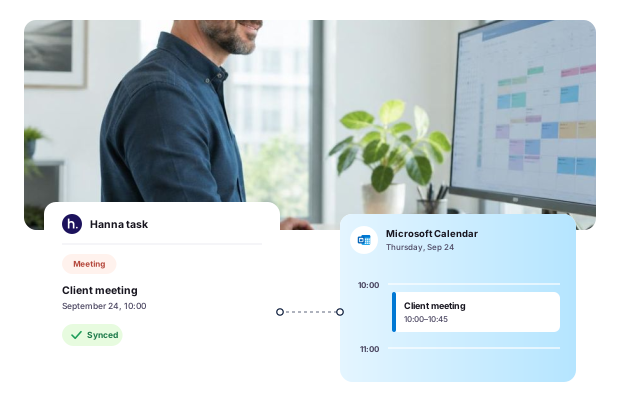
Microsoft Calendar – selected Hanna tasks in your calendar

Choose which Hanna task types you want to synchronize with Microsoft Calendar.

Relevant planned activities then appear in your Microsoft calendar alongside your other meetings and events.

You do not need to synchronize every Hanna task – you decide which task types are relevant to your workflow.

Microsoft Calendar – selected Hanna tasks in your calendar

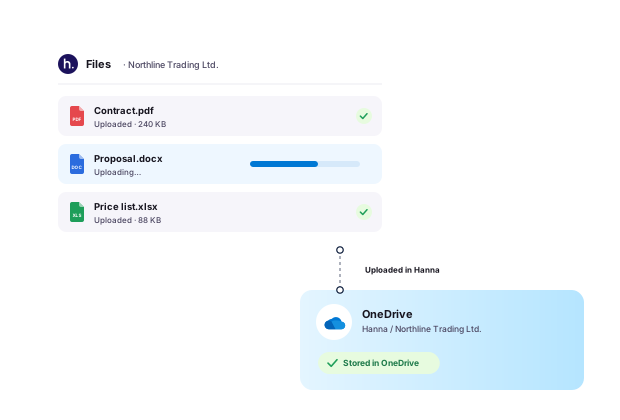
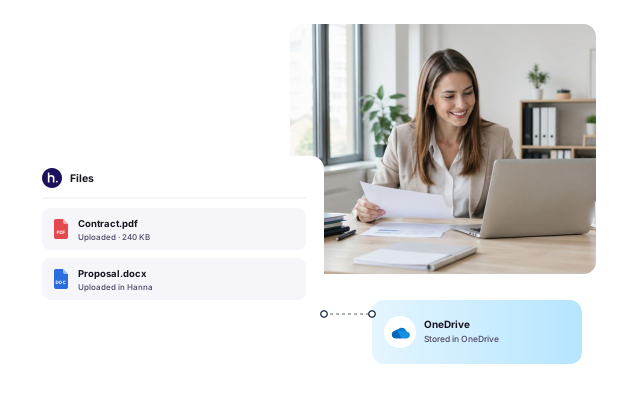
OneDrive – file storage for your Hanna account

Connect OneDrive to Hanna and use it as the storage location for files uploaded through Hanna.

Files uploaded in Hanna are stored in the connected OneDrive rather than on Hanna servers. Your team can continue working with documents and files as part of Hanna workflows, while the actual files remain in your Microsoft environment.

This is especially useful for companies that already use OneDrive as their primary document and file storage platform.

OneDrive – file storage for your Hanna account

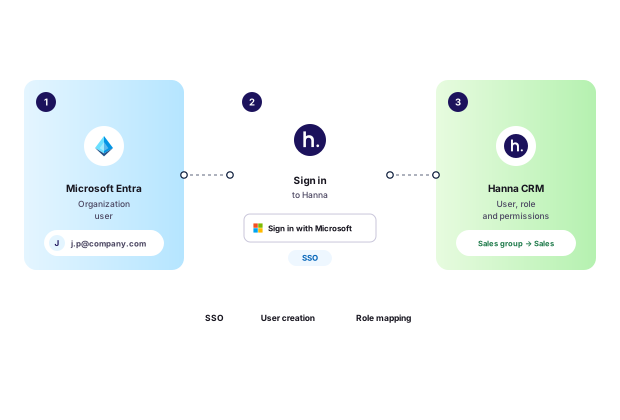
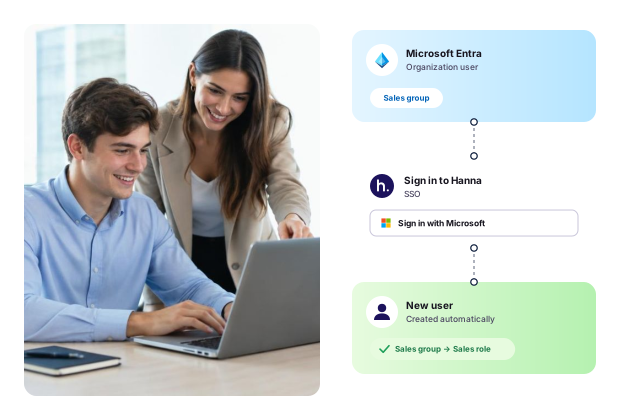
Microsoft Entra – single sign-on and role-based access

Use Microsoft Entra to sign in to Hanna with your organization’s Microsoft account.

When a user signs in, Hanna can automatically create the user if no matching account exists and assign the appropriate Hanna role and permissions based on Microsoft Entra groups.

This makes user access and permission assignment more closely aligned with your organization’s Microsoft identity environment.

Microsoft Entra – single sign-on and role-based access

How Microsoft integrations help in everyday work

From customer emails and scheduled tasks to documents and employee sign-in, Microsoft tools can become a natural extension of everyday work in Hanna CRM.

Frequently asked questions about Microsoft integrations

Connect your Microsoft environment with Hanna

Use your everyday Microsoft tools together with CRM – for customer communication, work planning, file storage and more streamlined employee access.

Connect your Microsoft environment with Hanna