Telephony Integration with CRM | Hanna CRM - HANNA CRM

Telephony and CRM – every conversation in context

Connect your business phone system with Hanna CRM. Identify customers when they call, see relevant information during the conversation, automatically build call history and gain deeper insight into customer communication.

See prices
Telephony and CRM – every conversation in context

Turn every call into part of your CRM workflow

Telephony integration helps your team do more than make and receive calls. It keeps conversation history connected to customer data, supports faster follow-up and gives managers a clearer view of communication activity.

Know who is calling

Know who is calling

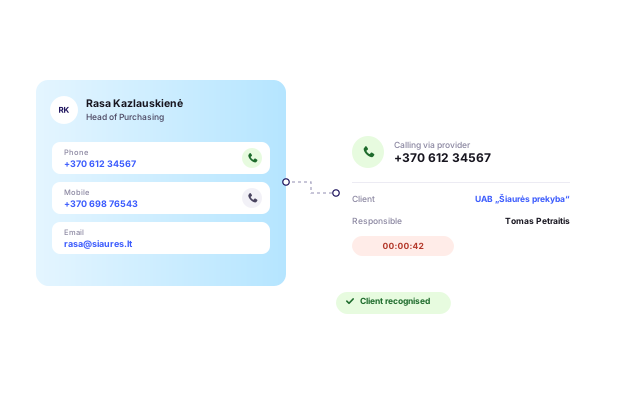
When an incoming call arrives, Hanna can identify the customer, contact person or lead by phone number and show relevant CRM information during the call.

Keep call history in CRM

Keep call history in CRM

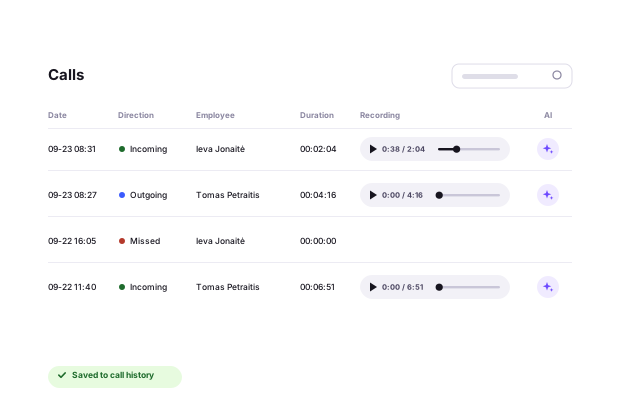
Call data is recorded in Hanna and can be linked to customers, contacts, leads and other relevant CRM records.

Get more insight from conversations

Get more insight from conversations

Track team call activity and use Hanna AI to analyze selected recorded conversations – from transcription and summaries to sales-related conversation signals.

From the first ring to conversation analysis

Hanna connects telephony events with CRM data, helping ensure that customer calls remain part of the wider sales and service process.

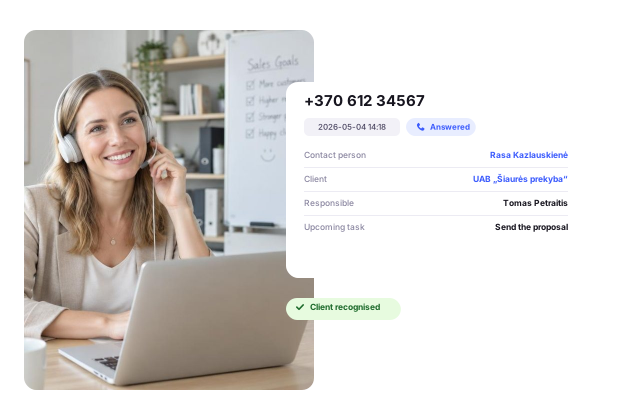
Call from Hanna and instantly recognize incoming callers

Phone numbers in Hanna can be clicked directly from a customer or contact record. Depending on the telephony integration, the call can be initiated through the provider’s system or opened in the calling application configured on the user’s device.

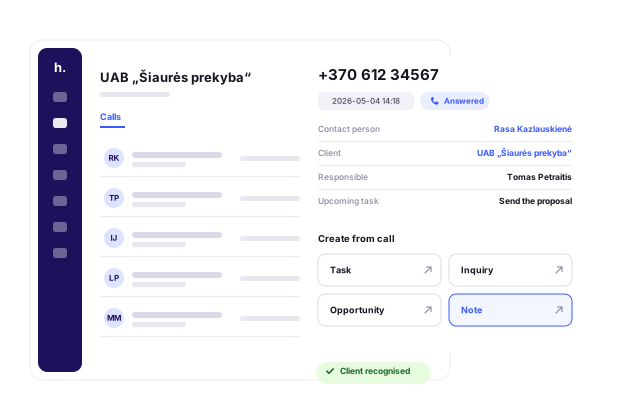
When a customer calls, Hanna can use the phone number to identify the customer, contact person or lead and display relevant information in an incoming-call popup.

Call from Hanna and instantly recognize incoming callers

Keep call history connected to your customers

Hanna records call data received from the telephony provider and keeps it in a centralized call history.

Calls can be linked to customers, contact persons, leads and employees. Depending on the workflow, call information can also be associated with tasks or support requests.

This makes it easier to see not only who called and when, but also the wider communication context around the relevant CRM record.

Keep call history connected to your customers

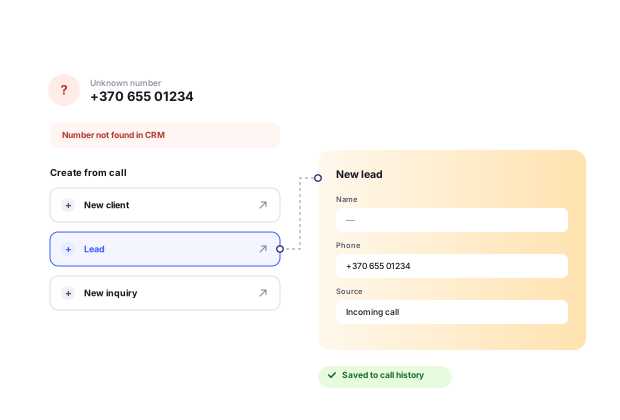
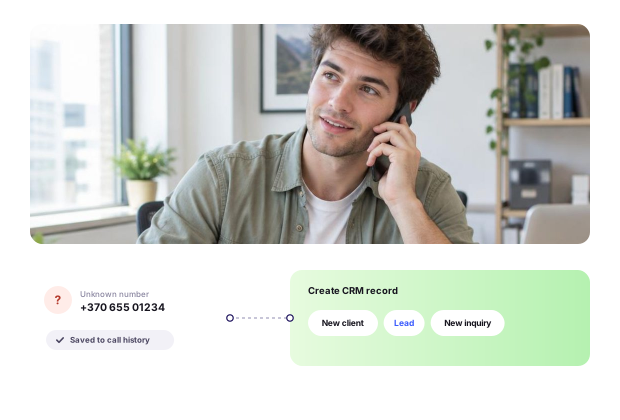
Turn an unknown number into a new CRM opportunity

If Hanna does not recognize the caller, the call still remains in the call history.

From the call information, users can start creating a new customer, contact person, lead or support request – turning a new conversation into a structured CRM process.

For selected workflows, automated rules can also be configured to create leads or requests based on incoming calls.

Turn an unknown number into a new CRM opportunity

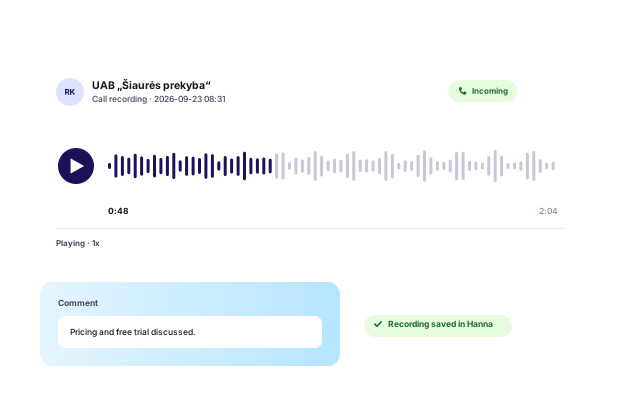
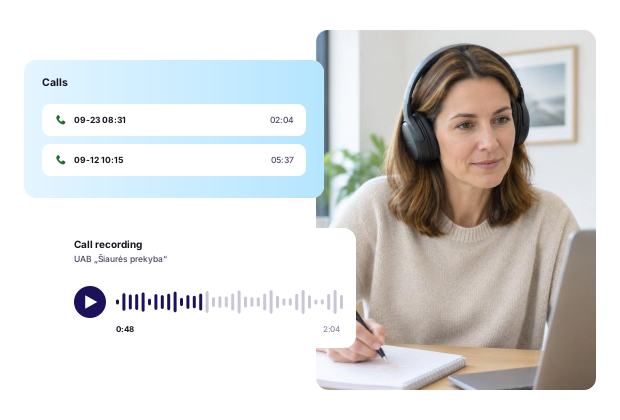
Keep call recordings alongside conversation history

When the telephony provider makes a call recording available, it can be accessed together with the related call information in Hanna.

Depending on the provider, the recording may be stored in Hanna file storage or accessed through a link supplied by the telephony system.

Access to recordings can be controlled through employee permissions.

Keep call recordings alongside conversation history

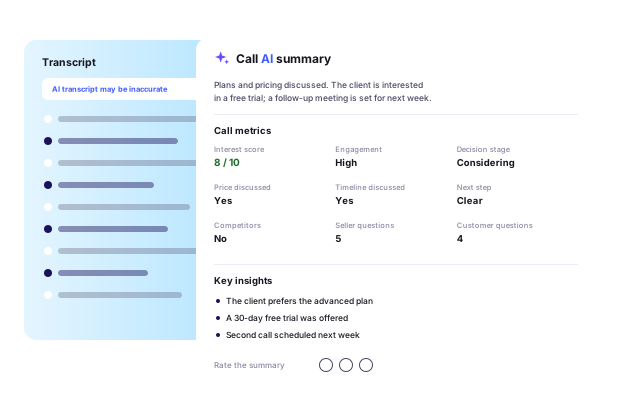
Analyze selected calls with Hanna AI

When a call recording is available and Hanna AI is enabled, selected conversations can be transcribed and analyzed.

Hanna AI can create a conversation summary and evaluate useful sales signals such as customer engagement, interest level, decision stage, whether pricing or timing was discussed, competitor mentions and whether a clear next step was agreed.

The results are saved with the individual call and can be reviewed together with the transcript.

Analyze selected calls with Hanna AI

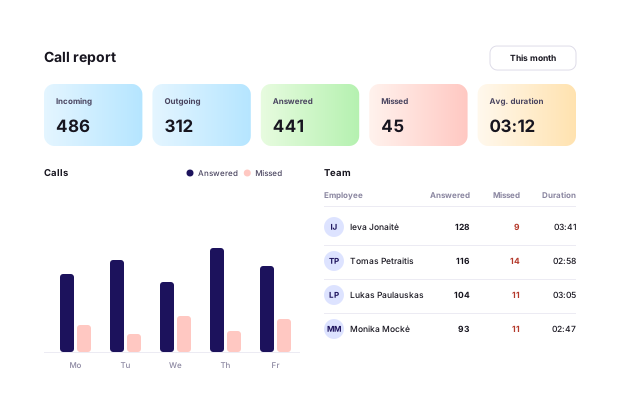
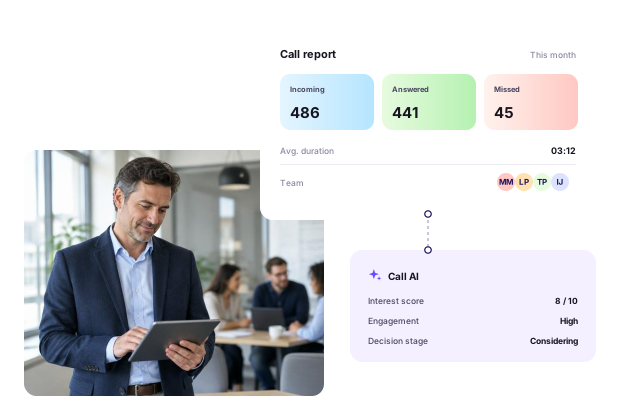
See how your team handles customer calls

Managers can review employee and team call activity across a selected time period.

Reports can include incoming and outgoing calls, answered and missed calls, callbacks, total call volume, answered and missed call rates, and average conversation duration.

Results can be viewed by employee and department to provide a clearer picture of team activity.

See how your team handles customer calls

How telephony integration helps in everyday work

Connecting telephony with CRM helps teams respond faster, capture new opportunities and keep better context around every customer conversation.

Frequently asked questions about telephony integration

Make every customer call part of your CRM workflow

Connect your telephony system with Hanna and keep call history, customer context and team communication insights in one place.

Make every customer call part of your CRM workflow